How the Kaladian mark, wordmark, colour, and type are used across product, print, and environment. Every asset in this document is downloadable as SVG and PNG.
v1.0Sep 202612 sections
01
Anatomy & construction
The mark is a K built from three parts on a single 45° axis. The upright is the constant; the arm and the chevron are the same weight, cut at the same angle, and separated from the upright by the same optical gap.
Upright
44 units wide, chamfered at the foot on the same 45° axis. Sets the stem weight for the whole mark.
Arm
Descends at 45°, 44 units thick, terminating in a point that clears both the upright and the chevron.
Chevron
The only coloured element. Always Kaladian Cyan, in every scheme.
Gap
11.3 units measured horizontally, 8 units perpendicular. Identical on both sides of the chevron. Never closed, never widened.
02
Lockups
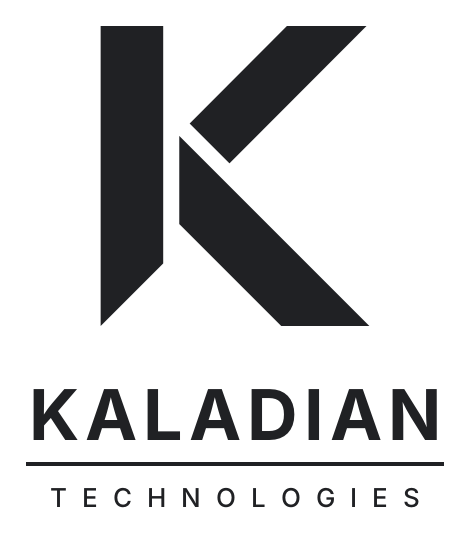
Three lockups cover every case. The stacked lockup is primary and should be the default choice wherever the layout allows a square-ish footprint.
StackedPRIMARY
Covers, title slides, signage, social avatars, anything with vertical room.
Horizontal
Product headers, letterhead, email signatures — any band under 96px tall.
Mark only
App icons, favicons, watermarks. Only where the Kaladian name is already established.
Dark scheme
On dark grounds the ink reverses to white. The chevron stays Kaladian Cyan in every scheme — it is never Steel, Deep Navy, or any other blue.
One-colour
For embroidery, etching, single-plate print, and fax-grade reproduction. The chevron takes the ink colour and the gaps carry the whole read.
03
Clear space & minimum size
Clear space is measured in x, the width of the mark's upright. Keep x free on all four sides. Nothing enters that field: no type, no rules, no image edge, no other logo.
Minimum sizes are set by TECHNOLOGIES, not by the mark. That line is 26 units tall against a 470-unit stacked lockup, so it is what fails first — every minimum below is the size at which it still reaches 9px. Under those sizes the lockup is not permitted at all; use the mark beside live type.
Stacked, screen
Width. Sub-line lands at 9px
220 px
Horizontal, screen
Width. Below this, mark plus live type
284 px
Mark, screen
Gaps still resolve at 1×
24 px
Stacked, print
Width. Sub-line lands at 6pt
52 mm
Mark, print
Below this, use one-colour
6 mm
96
48
32
24 min
16 ✕
04
Misuse
The logo is a fixed asset. Place it, scale it proportionally, and pick the right colour variant. Everything below is a redraw of the mark and is not permitted.
✕Don't stretch or condense
✕Don't rotate off the baseline
✕Don't recolour outside the palette
✕Don't close or alter the gaps
✕Don't use the light mark on mid-tone
✕Don't add shadow, bevel, or outline
kaladian
✕Don't rebuild the lockup by hand
✕Don't reduce opacity to tint it
05
Colour
One interface palette, one brand accent. Steel and Mist build the interface. Kaladian Cyan is the only accent colour anywhere in the system — it is the chevron, and it carries every brand-level moment: covers, title slides, signage.
UI PALETTE
Product surfaces, components, and anything rendered from tokens/colors.css.
Steel
#33414F
--color-primary
Mist
#8FA3B5
--color-secondary
Paper
#F2F3F4
--color-bg-secondary
BRAND ACCENT
The mark, the wordmark rule, and brand-level surfaces. Not defined in the token files — take these values from here.
Kaladian Cyan
#00D4FF
rgb(0 212 255)
hsl(190 100% 50%)
cmyk / Pantone — TBC
!
Print equivalents are not yet fixed. Match to coated and uncoated stock with a printer before any offset run, then record the values here. Do not let a conversion tool decide them. Cyan on white also reads at only 1.7:1 — below any accessible text minimum — so the chevron alone should never carry meaning that needs to be read, only recognised.
NEUTRAL
Off-white
#F8F9FA
Light Gray
#E8EAED
Dark Gray
#5F6368
Near Black
#202124
Deep Navy
#0F1B2D
SEMANTIC
Success
#1E8E3E
Warning
#F57C00
Error
#D32F2F
Info
#33414F
LIGHT SCHEME
Surface#F8F9FA
Raised#FFFFFF
Body text#202124
Secondary#5F6368
Accent#33414F
DARK SCHEME
Surface#0F1B2D
Raised#1A2A42
Body text#FFFFFF
Secondary#E8EAED
Accent#00D4FF
06
Typography
Inter across display and body, Roboto Mono for anything technical. Two typefaces, no exceptions. Display sizes take negative tracking; small sizes take none.
Inter
CANONICAL · display & body
400 – 900
Display 64 / 800
Hero, covers · tracking −2
Heading 40 / 800
Section titles · tracking −1
Subhead 22 / 700
Subsections · tracking 0
Lede 17 / 400. Sets the opening paragraph of a section. One or two sentences, never more, and always in Dark Gray so the heading keeps the weight.
Lede · line-height 1.6
Body 15 / 400. The default reading size in product and in documents. Line length caps at about 72 characters.
KALADIAN is Inter 800 at +6 tracking; TECHNOLOGIES is Inter 400 at +15. In the supplied SVGs both lines are live text with textLength pinning them to the 418-unit rule, so a missing Inter changes the letterforms but never the alignment. Ask for an outlined version before sending artwork to print.
Everything sits on an 8px base unit. Twelve columns on desktop, eight on tablet, four on mobile, with the gutter always one step below the margin.
xs · 4px
Icon to label, inline chips
sm · 8px
Stacked form fields
md · 12px
Default gap between siblings
lg · 16px
Card padding, list rows
xl · 24px
Between cards, grid gutter
2xl · 32px
Card interiors, panels
3xl · 48px
Section rhythm, hero padding
COLUMNS
≥1280 · 12 col · 32 margin · 24 gutter
768–1279 · 8 col · 24 margin · 16 gutter
<768 · 4 col · 16 margin · 12 gutter
RADIUS & ELEVATION
4 compact
8 standard
12 hero
elev 1
elev 2
elev 3
08
Iconography
Icons are drawn on a 24px grid with a 2px stroke, square terminals, and the mark's 45° diagonal wherever an angle is needed. Sketches below show the construction rules, not a finished set.
GRID
24 × 24 frame · 2 padding · 20 live area
2px stroke · butt caps · miter joins
angles at 45° only
SKETCHES
Icons carry Near Black by default, Steel when interactive on light grounds, Kaladian Cyan when interactive on dark grounds, and the semantic hue when they mark state. Never two colours in one icon.
09
Applications
Four cases that between them set the pattern for the rest: a card, a product header, a title slide, and an app icon.
Name Surname
Title
name@kaladian.com
BUSINESS CARD · 85 × 55 MM · MARK ONLY, 12 MM · NAME SET IN INTER
FleetReportsSettings
PRODUCT HEADER · 56 PX BAND · MARK ONLY AT 24 PX, THE STATED MINIMUM
Quarterly Review
Q3 2026
TITLE SLIDE · DEEP NAVY · CYAN RULE UNDER THE TITLE
APP ICON · DEEP NAVY FIELD · WHITE K · CYAN CHEVRON · RADIUS 22 %
Signage
Stacked lockup, minimum 180 mm wide. Fabricated marks use the one-colour version; the gaps become physical reveals of 11.3 % of the upright width.
Vehicle & garment
One-colour only. White on dark bodies, Near Black on light. Never the two-colour mark on a photographic or textured surface.
Over imagery
Place the white one-colour lockup over a Deep Navy overlay of at least 60 %. Never rely on the photograph alone to hold contrast.
10
Motion
Motion confirms an action or reveals a relationship. If it does neither, remove it. One easing curve, two durations.
CURVE
cubic-bezier(0.4, 0, 0.2, 1)
200 ms · interactions
300 ms · transitions
LIVE
Reproduced from the design system's Button variants in Steel; the canvas embedded the live component, which this standalone page does not load. Hover any of them to see the 200 ms curve.
Hover, focus, press200 ms
Dialog and drawer open300 ms
Toast enter and exit300 ms
Logo animationnever
11
Tone of voice
Direct, clear, respectful. Speak to the problem in front of the reader, in active voice, with no words that don't carry meaning.
WRITE THIS
Enter your email
We couldn't save your changes. Check your connection and try again.
Fleet is synced. 42 vehicles reporting.
Delete this report? This can't be undone.
NOT THIS
Please kindly input your email address here
An error occurred.
Synchronisation of the fleet telemetry pipeline completed successfully
Are you sure?
Headings
Title Case. Capitalise major words.
Labels & buttons
Title Case. Verb first: Save Draft.
Body & errors
Sentence case. Specific and helpful.
Emoji
Not in the UI. Icons carry meaning.
12
Downloads
Every asset is vector SVG with the wordmark set in live Inter, width-locked to the rule so it holds in fallback fonts, plus a high-resolution transparent PNG rendered from it. View opens the PNG at its own link, ready to paste where a URL is needed. Take the file that matches your background — don't recolour a variant to make it fit.
EPS, PDF, and favicon sets are produced on request. Ask before you convert an SVG yourself — outlined type and gap geometry are easy to lose in a bad export.

 96
96